3 Little Known Ways To Get More Tweets About Your Blog Content


This is a guest post by Gregory Ciotti, a contributing Buffer Blog columnist. Read more about Greg at the bottom of the post, or read his latest piece on how customer perception affects support.

Recently I covered four tips to get the most out of your self-broadcasted tweets, but how can you get more people to share your content on their own?
Twitter remains one of the biggest drivers of traffic on the web, so encouraging people to tweet about your content can have a serious impact on your writing’s visibility. It can also be what gets the ball rolling for your content to go viral on Twitter.
All three of these methods are easy to implement, which means you can try at least one of them today.
1.) Give away something free for a tweet
One of the best ways I’ve seen people get more retweets is offering readers something free in exchange for a very small payment, usually in the form of a tweet.
The classic: give away a free guide in exchange for a tweet. I’ve also seen tools, videos, and lots else given away, so anything that you can digitally send is game. But how well does it actually work?
Results will of course depend on your base audience, but for any blog with a few thousand subscribers, and the right incentive, you’ll likely see hundreds of shares or more.
As an example, James Clear gave away a free collection of ebooks, but before you could access them, a tweet or a Facebook share was required.
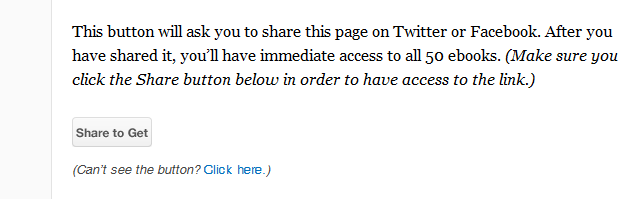
Sounds easy enough.
So, how did it do?
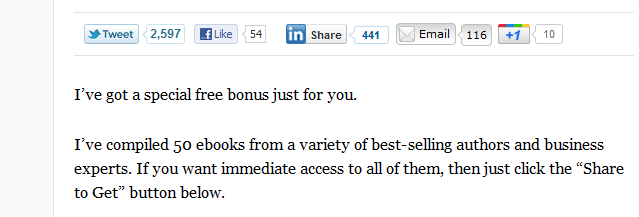
Not bad.
This can work for almost any topic, because it’s much more accessible than telling someone your autoresponder will email them something free. There’s also the snowball effect to consider: the tweet your readers send out for the free gift includes a link, which will drive more people back to the page, who might then use the ‘share to get’ button themselves, and so forth.
Okay, you’re sold. What tools will let you do this?
The Pay With A Tweet service is quite useful and gets the job done with just a few clicks. It’s also free, so you’re able to test with no risk.
2.) Let people tweet anything on the page
Whenever you feature an interesting quote or image, you can encourage readers to tweet exactly what they see, rather than sending out a generic tweet to the page itself.
Enter Click To Tweet. Now, any element on your website can be tweeted about by adding a custom link that you set up how you want.
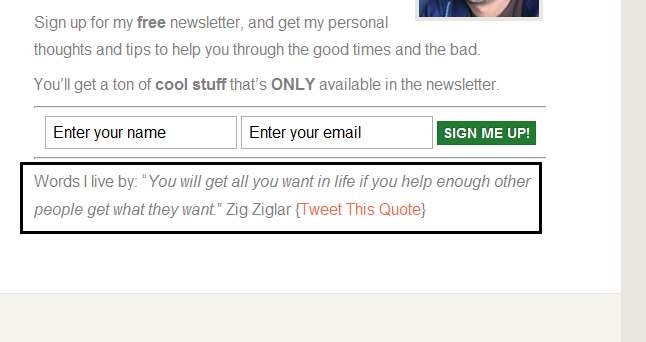
By clicking the link above, you would tweet out the quote Hiten Shah has added to Click To Tweet, along with a link back to his blog. People love sharing simple things like images and quotes, and you can make it easy for them to share exactly what they want.
For example, here’s a quote I really enjoy:
“Don’t speak unless you can improve the silence.”
{Tweet This Quote} <– And here is a link to share it.
Success with this tactic relies on your own creativity. How might you use it to get more tweets?
3.) Pre-made tweets at the end of blog posts
Your readers are most primed for action after reading your article. If they can make it to the bottom, that means they’re probably engaged in what they were reading. So the “after-post” slot is one of the most critical in your site’s layout.
If more tweets are what you’re after, putting something in this location is likely to generate more shares. Better yet, what if you could have the tweet already displayed for them, requiring only a single click to send it out?
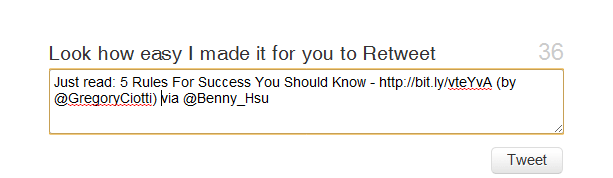
Above is an example, which I first discovered on Benny Hsu’s blog.
If you want to try it yourself, you can install the free Twitter @Anywhere Plus plugin from the official WordPress site.
The main thing here is to eliminate any semblance of “work” for your readers. Want more tweets after long, engaging posts? Optimize the location (bottom of the post) and above all, make it easy to do.
Twitter icon by Kamil Khadeyev.
Try Buffer for free
140,000+ small businesses like yours use Buffer to build their brand on social media every month
Get started nowRelated Articles

If you always feel like you’re chasing the tail-end of audio trends on the app, you’ve come to the right place. In this article, I’ll guide you through all the methods you can use to find the most popular music and sounds on Instagram before they drop off the charts.


All the features on Bluesky, plus how to use them.


I put Meta Verified — and the coveted blue check — under the microscope for two weeks. The results were definitely not what I expected.